| 你可能会注意到在本例中我使用了相对定位。在相对定位和绝对定位中有一个很微妙但确确实实的区别。
当你将一个对象用绝对定位指令定位时,你实际将其从你的HTML文件流中抽了出来,将其直接根据网页的左上角的位置进行定位。这种情况下各个对象有可能互相重叠在一起。
相对定位并不指根据百分比值或其他某个元素的位置来定位这个元素的位置。它实际占据的就是它在这个HTML文件中的位置,它的定位起点基于HTML页所在的位置,这里是一个例子:
Tim, the hero. Webmonkey editor and resident banjo-picker.
Tim, the hero. Webmonkey editor and resident banjo-picker.
这两个句子中,单词Webmonkey都定位在距左边200像素的位置。第1个句子用的是绝对定位,第2个用的是相对定位。注意相对定位的句子中空出了相当于单词Webmonkey长度的空间,而绝对定位了的句子中没有这个空间,如果我给两个句子都加一个"top"参数值,则你会看到绝对定位了的句子将飘在文章的顶部,而相对定位的句子则就在它所在的句子的位置之下:
Tim, the hero. Webmonkey editor and resident banjo-picker.
现在我们已经了解了两种定位的不同。我们作一个小练习。我们用CSS-P作一个网页。这里是该网页的屏幕快照。
 Tim, the hero. Webmonkey editor and resident banjo-picker.
 Jean
Pierre: the tragic clown who can only speak in machine-translated
sentences that have gone from English, to German, to English,
to Spanish, to English, to Italian, to English, to French.


The Webmonkey interns. Our Greek chorus.
 Captain Cursor. Your friendly, neighborhood, almost-in-the-spec superhero.
 Kristin, Webmonkey's executive producer. She owns a big truck.


The rest of the Webmonkey crew. Our spear
carriers. They are to our story as Marvin and Wendy were to the
superfriends.
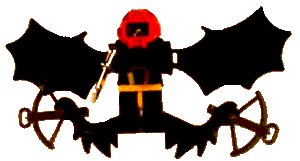
El Ni駉. The lukewarm expanse of the Pacific Ocean that periodically escapes its
confinement by the western wind. Our villain.
试着做出这个网页,然后我们将制作更复杂的布局(提示:你可以用这个屏幕快照中的图象作为网页背景图象来帮助你定位。注意将字体采用Comic
Sans MS)。
|